This online utility lets you recolor static and animated GIFs using classic console and computer palettes. You can choose from 22 color sets and select how the original GIF colors are matched to the chosen palette. You can also use more colors from the palette, apply one of nine dithering algorithms, play the original and recolored GIFs side by side, or inspect an individual frame. Created by GIF experts from team Browserling.
This online utility lets you recolor static and animated GIFs using classic console and computer palettes. You can choose from 22 color sets and select how the original GIF colors are matched to the chosen palette. You can also use more colors from the palette, apply one of nine dithering algorithms, play the original and recolored GIFs side by side, or inspect an individual frame. Created by GIF experts from team Browserling.
This browser-based program converts static and animated GIFs to the color palettes of retro consoles and computers. It converts every frame by mapping its colors to the closest available colors in the selected hardware palette. The palette list includes 22 color sets, beginning with gaming systems such as the 4-color Game Boy, two 54-color NES interpretations, the 16-color PICO-8 palette, and NTSC, PAL, and SECAM variants of the Atari 2600. The remaining palettes cover classic home computers and PC graphics, including Commodore 64, ZX Spectrum, the full 16-color CGA palette and six 4-color CGA modes, 16-color and 64-color EGA, 16-color and 256-color Windows VGA, and the Hi-Res and Lo-Res Apple II palettes. The standard conversion uses the palette colors that correspond most closely to the GIF's existing colors. An optional setting can instead include a wider range of colors from the chosen palette in the recolored frames. You can choose between two matching models to determine which palette color replaces each source color. With RGB distance, you compare the numerical red, green, and blue values, while perceptual distance lets you match colors according to how similar they appear to the human eye. You can also enable dithering to arrange nearby palette colors into small pixel patterns that help recreate tones missing from the selected palette. Nine dithering algorithms are available: Floyd Steinberg, False Floyd Steinberg, Stucki, Atkinson, Jarvis, Burkes, Sierra, Two-row Sierra, and Sierra Lite. You can run the source and converted GIFs together for an animated comparison or switch to a single-frame view and enter the frame number you want to inspect. The player also reports the GIF's total frame count, current frame, frame delay, and image size. Gifabulous!
This browser-based program converts static and animated GIFs to the color palettes of retro consoles and computers. It converts every frame by mapping its colors to the closest available colors in the selected hardware palette. The palette list includes 22 color sets, beginning with gaming systems such as the 4-color Game Boy, two 54-color NES interpretations, the 16-color PICO-8 palette, and NTSC, PAL, and SECAM variants of the Atari 2600. The remaining palettes cover classic home computers and PC graphics, including Commodore 64, ZX Spectrum, the full 16-color CGA palette and six 4-color CGA modes, 16-color and 64-color EGA, 16-color and 256-color Windows VGA, and the Hi-Res and Lo-Res Apple II palettes. The standard conversion uses the palette colors that correspond most closely to the GIF's existing colors. An optional setting can instead include a wider range of colors from the chosen palette in the recolored frames. You can choose between two matching models to determine which palette color replaces each source color. With RGB distance, you compare the numerical red, green, and blue values, while perceptual distance lets you match colors according to how similar they appear to the human eye. You can also enable dithering to arrange nearby palette colors into small pixel patterns that help recreate tones missing from the selected palette. Nine dithering algorithms are available: Floyd Steinberg, False Floyd Steinberg, Stucki, Atkinson, Jarvis, Burkes, Sierra, Two-row Sierra, and Sierra Lite. You can run the source and converted GIFs together for an animated comparison or switch to a single-frame view and enter the frame number you want to inspect. The player also reports the GIF's total frame count, current frame, frame delay, and image size. Gifabulous!
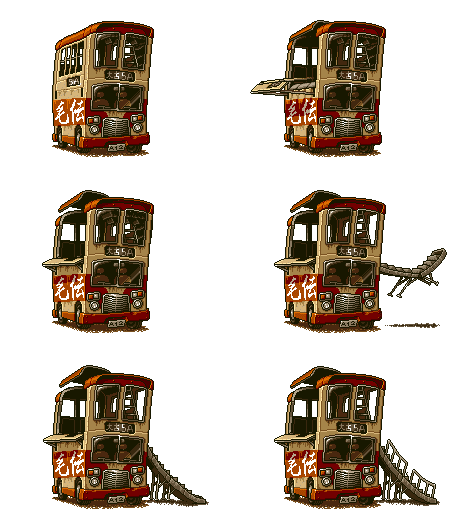
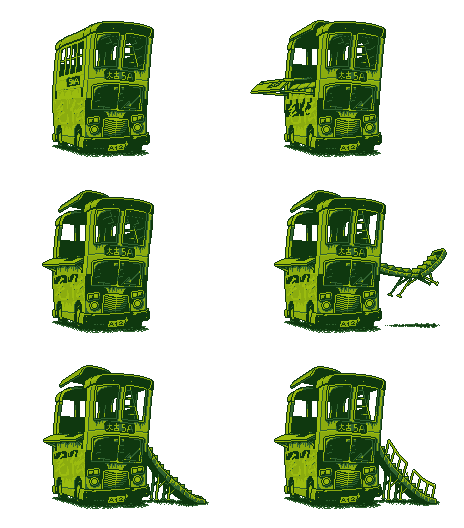
In this example, we redraw General Morden's animated bus sprite from Metal Slug using the four olive-green shades of the original 1989 Game Boy. The compact palette preserves the vehicle's windows and armor, while making it resemble an enemy from a monochrome handheld action game. We also retain the transparent area around the sprite in every frame. (Source: SNK.)
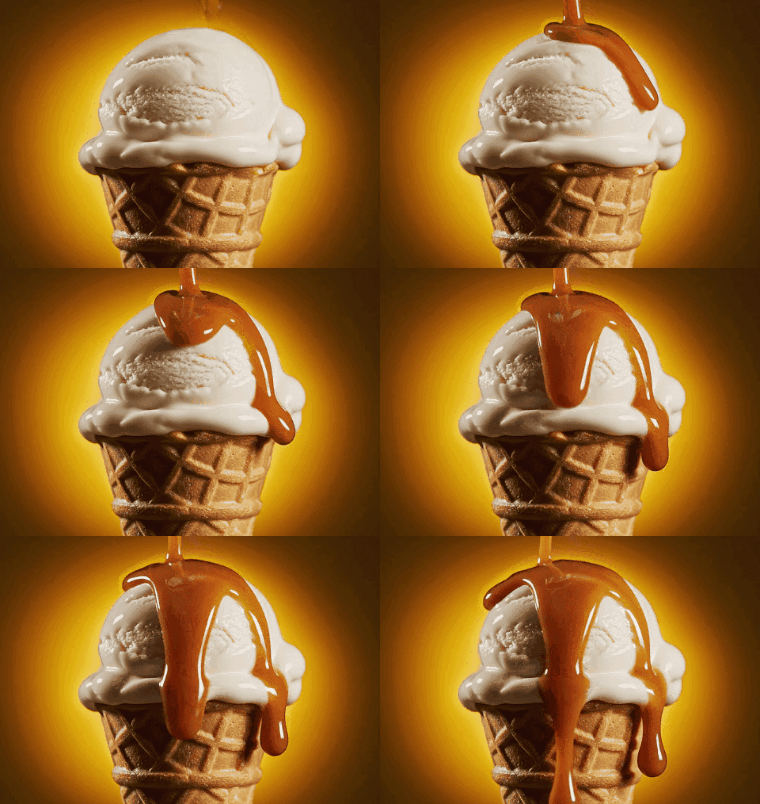
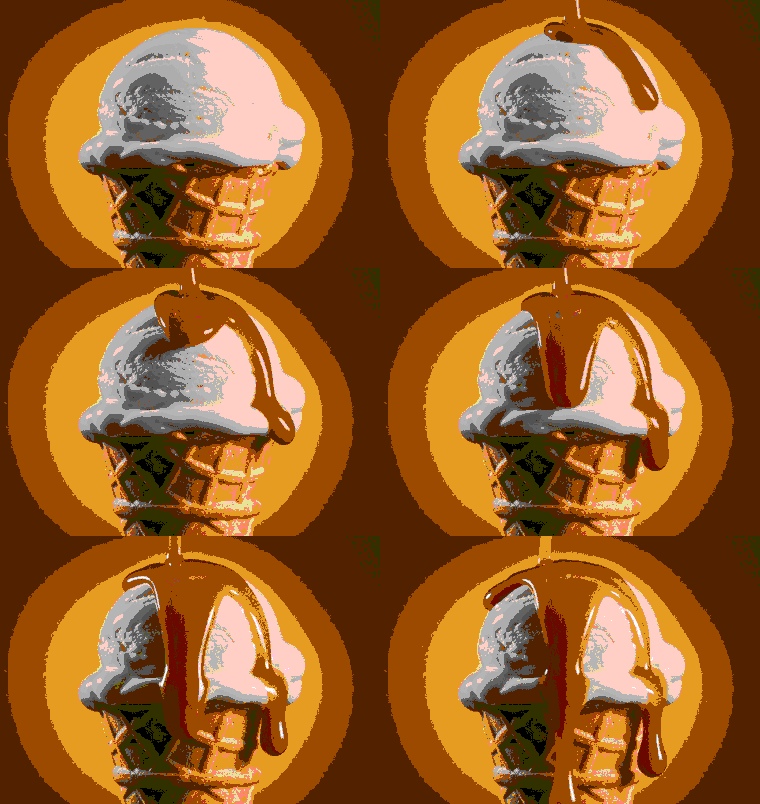
This example applies the 54-color NES Nestopia palette to an animated caramel ice-cream cone. We use direct RGB distance to match the original pixels, separating the creamy scoop, waffle cone, and glowing background into bold zones of gray, peach, orange, brown, and black. As these simplified regions move through the GIF, the dessert looks like a playful bonus item from an 8-bit console game. (Source: Vecteezy.com.)
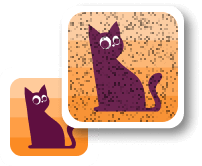
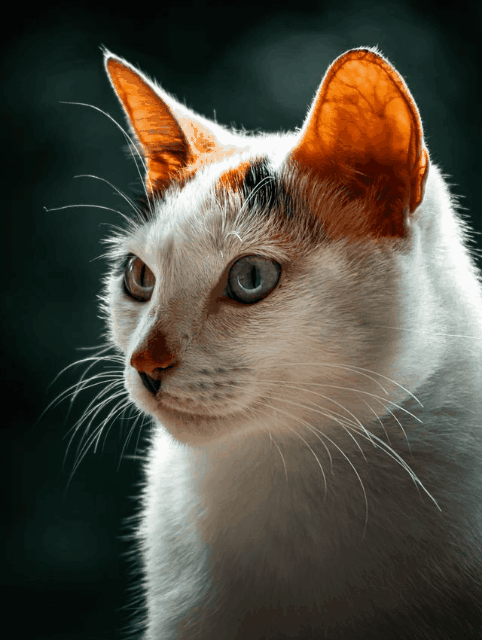
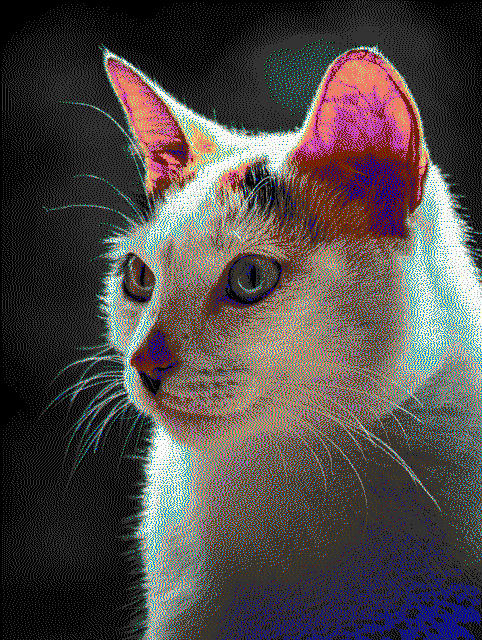
In this example, we convert a static white cat GIF with the famous 16-color Commodore 64 palette used by 1980s home-computer graphics. We combine perceptual color matching with the full-palette option and Two-row Sierra dithering, adding purple and blue flecks to the nose and ears, yellow inside the ears, and cyan across the white fur. The dense pixel pattern gives the portrait the character of a detailed C64 loading screen. (Source: Pexels.)
Create animated GIFs in your browser.
Change the order of frames in a GIF animation.
Insert one or more frames in a GIF animation.
Decrease the size of a GIF.
Add an audio track to a GIF.
Cross-fade a GIF frame by frame.
Cross-fade two GIF animations.
Smoothly transform one GIF into another GIF.
Change the delay between all GIF frames to the same value.
Change the framerate of a GIF.
Increase the width and height of a GIF.
Decrease the width and height of a GIF.
Create a chess game animation from a PGN file.
Create a go game animation from a SGF file.
Create a draughts/checkers game animation from a PDN file.
Generate a GIF animation of winning a Solitaire game.
Create a GIF animation of Game of Life.
Base64-encode a GIF.
Base64-decode a GIF.
Base58-encode a GIF.
Base58-decode a GIF.
Convert a sequential GIF to progressive GIF.
Convert a progressive GIF to a sequential GIF.
Convert an animated PNG to an animated GIF.
Convert an animated GIF to an animated PNG.
Convert an animated PNG to an animated GIF.
Convert a GIF animation to an AV1 animation (AVIF).
Convert an AV1 animation (AVIF) to a GIF animation.
Convert a GIF animation to a HEIF animation.
Convert a HEIF animation to a GIF animation.
Export a GIF animation to a BPG animation.
Convert an animated BPG to an animated GIF.
Convert a GIF animation to an AVI video.
Convert an AVI video to a GIF animation.
Convert a GIF animation to a WMV video.
Convert a WMV video to a GIF animation.
Convert a GIF animation to an MP4 video.
Convert an MP4 video to a GIF animation.
Convert a GIF animation to an MKV video.
Convert an MKV video to a GIF animation.
Convert a GIF animation to a MOV video.
Convert a MOV video to a GIF animation.
Convert a GIF animation to GIF video (GIFV).
Convert a GIF video (GIFV) to a GIF animation.
Create a Data URI from a GIF animation.
Reconstruct a GIF from a Data URI.
Draw one or more GIF frames as ASCII art.
Create an animation from multiple ASCII art drawings.
Draw one or more GIF frames as ANSI art.
Create an animation from multiple ANSI art drawings.
Draw one or more GIF frames using Unicode glyphs.
Create a GIF from multiple Unicode drawings.
Draw one or more GIF frames using Braille characters.
Create a GIF animation from Braille characters.
Replace one color in a GIF with another.
Convert all colors in a GIF to just two black and white.
Find the color palette used in a GIF.
Find the color index used in a GIF.
Randomly change the color indexes of a GIF.
Create a GIF with more than 256 colors.
Convert a 256-color GIF to a 2-color GIF.
Convert a non-dithered GIF to a dithered GIF.
Merge dithered pixels and create a non-dithered GIF.
Change the delay interval between individual GIF frames.
Split a GIF into two or more GIFs.
Join two or more GIFs into a single GIF.
Shift GIF frames to the right or to the left.
Hide the selected area in a GIF by drawing a block over it.
Extract a part (a range of frames) from a GIF.
Create multiple GIF copies side-by-side.
Create multiple copies of individual GIF frames.
Skew a GIF animation by an angle.
Reverse a skew in a GIF animation.
Create a pixel whirl of any radius in a GIF.
Create a GIF that animates white noise.
Make a GIF animation go so slow that it appears almost static.
Remove a watermark from a GIF animation.
Extract all GIF frames in a folder and zip it up.
Add a hidden comment in GIF's metainfo section.
Clear all metainfo from a GIF.
Animate multiple GIFs at the same time side-by-side.
Add an animation effect to a message.
Layer two GIFs and put one GIF on top of another GIF.
Overlay an animated GIF on any image or photo.
Overlay any image or photo on an animated GIF.
Quickly change the playback length of a GIF.
Convert any image to a GIF that emulates slow Internet speed.
Create a GIF animation of a loading spinner.
Let Zalgo destroy a GIF animation.
Subscribe to our updates. We'll let you know when we release new tools and features, and when we organize online workshops.
Enter your email here
We're Browserling — a friendly and fun cross-browser testing company powered by alien technology. At Browserling we love to make peoples' lives easier, so we created this collection of online GIF tools. Our tools are enjoyed by millions of casual users every month as our easy-to-use user interface doesn't require advanced computer skills. Behind the scenes, our GIF tools are actually powered by our web developer tools that we created over the last couple of years. Check them out!