This online utility lets you create a low-quality GIF animation. You can adjust the compression level and apply pixelation or blur to reduce the detail in the GIF. You can add noise, chromatic shifts, scanlines, and brightness changes to intensify degradation, as well as fine-tune the RGB channels, apply vignetting, and add vintage styling for a retro look. Created by GIF experts from team Browserling.
This online utility lets you create a low-quality GIF animation. You can adjust the compression level and apply pixelation or blur to reduce the detail in the GIF. You can add noise, chromatic shifts, scanlines, and brightness changes to intensify degradation, as well as fine-tune the RGB channels, apply vignetting, and add vintage styling for a retro look. Created by GIF experts from team Browserling.

This browser-based program intentionally creates low-quality GIFs by degrading their visual fidelity across all frames. It works by processing each individual frame of your GIF and applying various filters that simulate old-school web graphics or vintage video displays. A built-in player lets you preview the animation directly in the browser, pause playback, and inspect specific frames to see how each effect impacts the GIF. You can start by adjusting the overall compression level using JPEG or WebP-style algorithms. The JPEG-style compression generates blocky artifacts, while WebP-style compression creates blurred color transitions. For a more blocky look, you can apply a pixelation effect that enlarges pixel blocks, or for a hazier appearance, apply a blur effect that softens pixels and blends colors. For further GIF degradation, you can add noise to generate random digital grain, apply chromatic aberration to shift the color channels of the pixels, enable horizontal scanlines that mimic old CRT displays, or overexpose and underexpose the GIF frames. You can also precisely manage colors by increasing the presence of red, green, and blue color channels. A vignette effect can be enabled to darken the edges of each frame, with adjustable strength and size to control its intensity and spread. The vintage filter applies a warm, aged tone, giving the GIF an analog or retro aesthetic. Gifabulous!
This browser-based program intentionally creates low-quality GIFs by degrading their visual fidelity across all frames. It works by processing each individual frame of your GIF and applying various filters that simulate old-school web graphics or vintage video displays. A built-in player lets you preview the animation directly in the browser, pause playback, and inspect specific frames to see how each effect impacts the GIF. You can start by adjusting the overall compression level using JPEG or WebP-style algorithms. The JPEG-style compression generates blocky artifacts, while WebP-style compression creates blurred color transitions. For a more blocky look, you can apply a pixelation effect that enlarges pixel blocks, or for a hazier appearance, apply a blur effect that softens pixels and blends colors. For further GIF degradation, you can add noise to generate random digital grain, apply chromatic aberration to shift the color channels of the pixels, enable horizontal scanlines that mimic old CRT displays, or overexpose and underexpose the GIF frames. You can also precisely manage colors by increasing the presence of red, green, and blue color channels. A vignette effect can be enabled to darken the edges of each frame, with adjustable strength and size to control its intensity and spread. The vintage filter applies a warm, aged tone, giving the GIF an analog or retro aesthetic. Gifabulous!
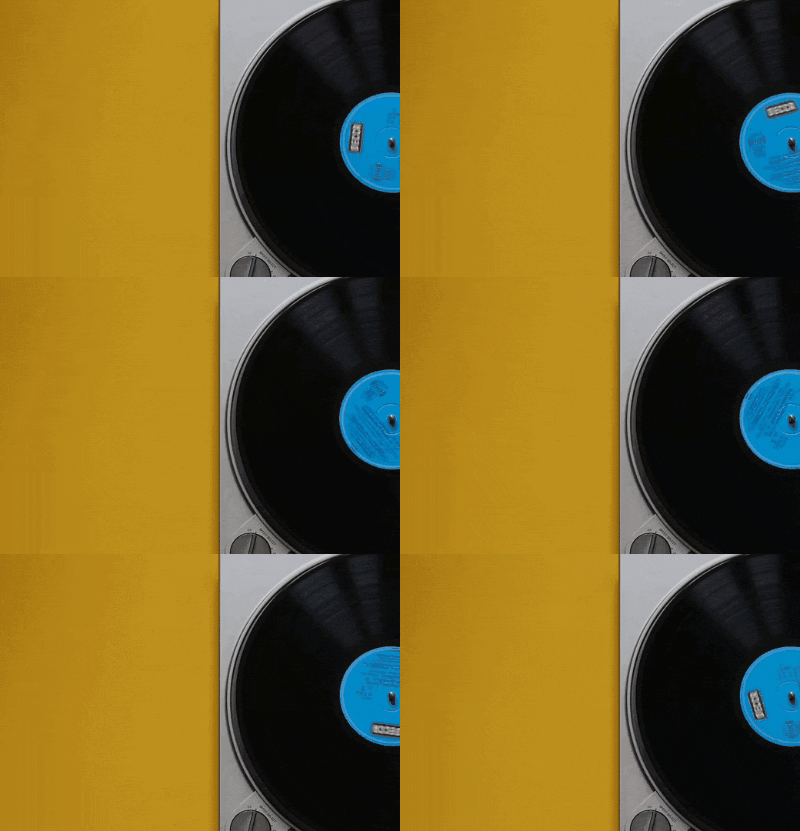
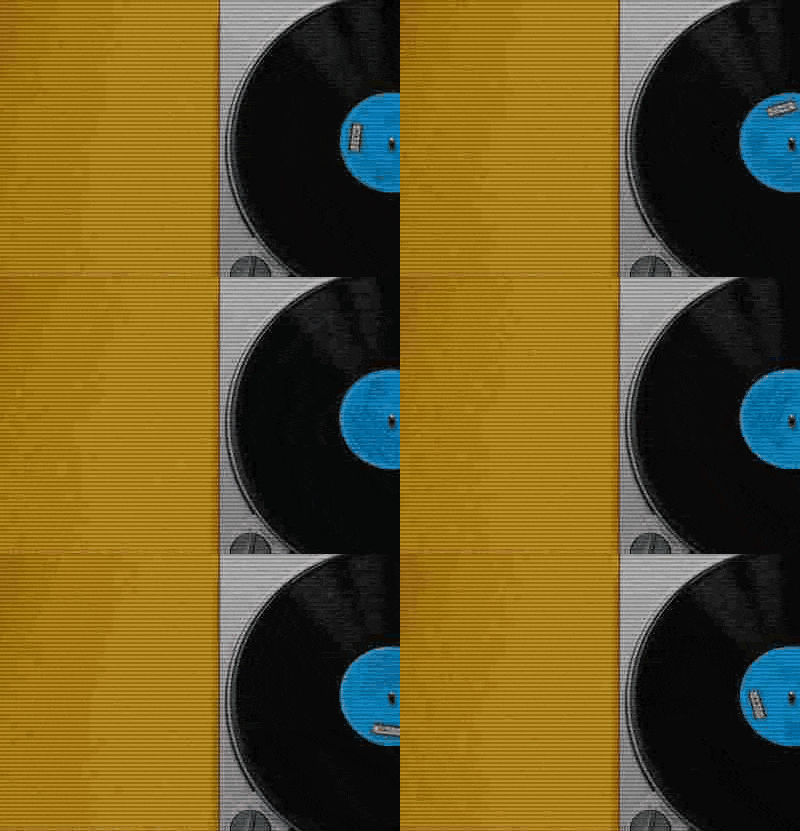
In this example, we process a 21-frame GIF of a spinning vinyl record and reduce its quality to create a retro playback feel. We set the quality to 15% with JPEG-style compression, which introduces visible block artifacts across the animation. We also add noise at 10 to create light grain and apply scanlines at 20 to simulate an old display effect. (Source: Pexels.)
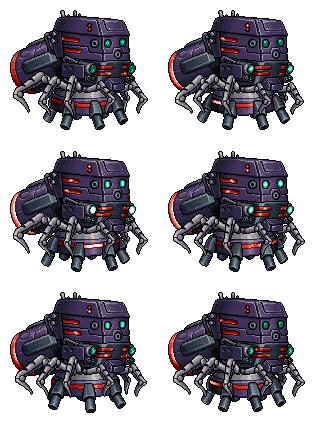
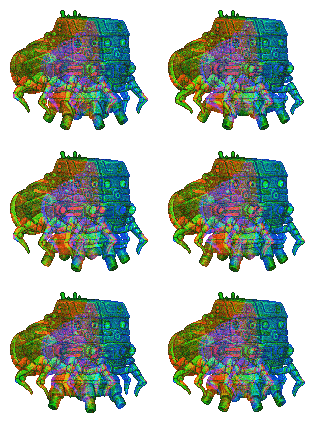
This example transforms an 8-frame game sprite of a Quadro Hover weapon into a shimmering, colorful object. It uses a high chromatic aberration setting to create a rainbow color-fringe effect and high digital noise to make the animation flicker. We also increase the brightness to 120% to give the sprite a glowing, overexposed appearance. (Source: SNK.)
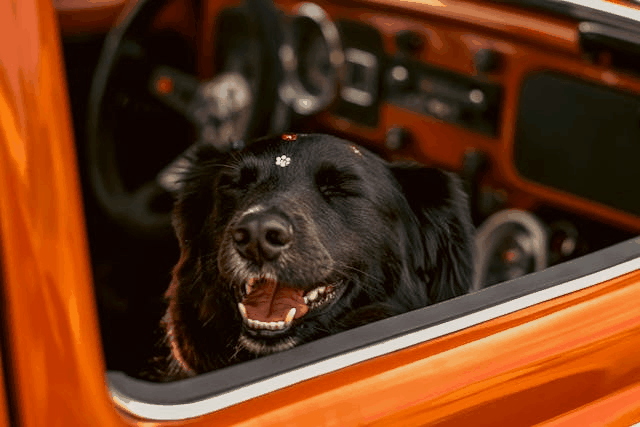
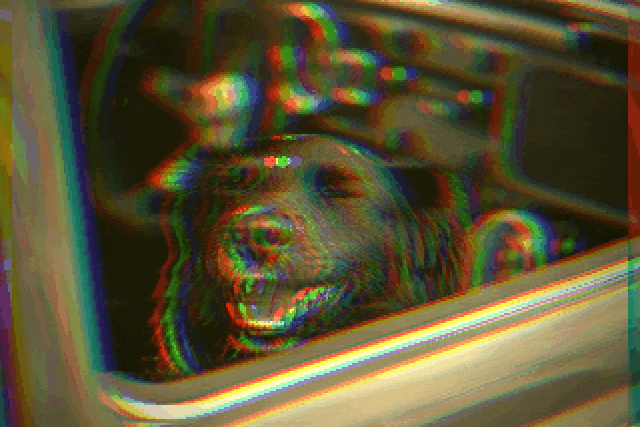
In this example, we create a nostalgic retro look from a static GIF of a dog enjoying a car ride. We apply slight pixelation at 2 and chromatic aberration at 12 to introduce subtle distortion, then shift red and green channels to warm up the tones. We enable the vignette effect to darken the edges and turn on the vintage filter to give the GIF a soft sepia-style appearance. (Source: Pexels.)
Create animated GIFs in your browser.
Change the order of frames in a GIF animation.
Insert one or more frames in a GIF animation.
Decrease the size of a GIF.
Add an audio track to a GIF.
Cross-fade a GIF frame by frame.
Cross-fade two GIF animations.
Smoothly transform one GIF into another GIF.
Change the delay between all GIF frames to the same value.
Change the framerate of a GIF.
Increase the width and height of a GIF.
Decrease the width and height of a GIF.
Create a chess game animation from a PGN file.
Create a go game animation from a SGF file.
Create a draughts/checkers game animation from a PDN file.
Generate a GIF animation of winning a Solitaire game.
Create a GIF animation of Game of Life.
Base64-encode a GIF.
Base64-decode a GIF.
Base58-encode a GIF.
Base58-decode a GIF.
Convert a sequential GIF to progressive GIF.
Convert a progressive GIF to a sequential GIF.
Convert an animated PNG to an animated GIF.
Convert an animated GIF to an animated PNG.
Convert an animated PNG to an animated GIF.
Convert a GIF animation to an AV1 animation (AVIF).
Convert an AV1 animation (AVIF) to a GIF animation.
Convert a GIF animation to a HEIF animation.
Convert a HEIF animation to a GIF animation.
Export a GIF animation to a BPG animation.
Convert an animated BPG to an animated GIF.
Convert a GIF animation to an AVI video.
Convert an AVI video to a GIF animation.
Convert a GIF animation to a WMV video.
Convert a WMV video to a GIF animation.
Convert a GIF animation to an MP4 video.
Convert an MP4 video to a GIF animation.
Convert a GIF animation to an MKV video.
Convert an MKV video to a GIF animation.
Convert a GIF animation to a MOV video.
Convert a MOV video to a GIF animation.
Convert a GIF animation to GIF video (GIFV).
Convert a GIF video (GIFV) to a GIF animation.
Create a Data URI from a GIF animation.
Reconstruct a GIF from a Data URI.
Draw one or more GIF frames as ASCII art.
Create an animation from multiple ASCII art drawings.
Draw one or more GIF frames as ANSI art.
Create an animation from multiple ANSI art drawings.
Draw one or more GIF frames using Unicode glyphs.
Create a GIF from multiple Unicode drawings.
Draw one or more GIF frames using Braille characters.
Create a GIF animation from Braille characters.
Replace one color in a GIF with another.
Convert all colors in a GIF to just two black and white.
Find the color palette used in a GIF.
Find the color index used in a GIF.
Randomly change the color indexes of a GIF.
Create a GIF with more than 256 colors.
Convert a 256-color GIF to a 2-color GIF.
Convert a non-dithered GIF to a dithered GIF.
Merge dithered pixels and create a non-dithered GIF.
Change the delay interval between individual GIF frames.
Split a GIF into two or more GIFs.
Join two or more GIFs into a single GIF.
Shift GIF frames to the right or to the left.
Hide the selected area in a GIF by drawing a block over it.
Extract a part (a range of frames) from a GIF.
Create multiple GIF copies side-by-side.
Create multiple copies of individual GIF frames.
Skew a GIF animation by an angle.
Reverse a skew in a GIF animation.
Create a pixel whirl of any radius in a GIF.
Create a GIF that animates white noise.
Make a GIF animation go so slow that it appears almost static.
Remove a watermark from a GIF animation.
Extract all GIF frames in a folder and zip it up.
Add a hidden comment in GIF's metainfo section.
Clear all metainfo from a GIF.
Animate multiple GIFs at the same time side-by-side.
Add an animation effect to a message.
Layer two GIFs and put one GIF on top of another GIF.
Overlay an animated GIF on any image or photo.
Overlay any image or photo on an animated GIF.
Quickly change the playback length of a GIF.
Convert any image to a GIF that emulates slow Internet speed.
Create a GIF animation of a loading spinner.
Let Zalgo destroy a GIF animation.
Subscribe to our updates. We'll let you know when we release new tools and features, and when we organize online workshops.
Enter your email here
We're Browserling — a friendly and fun cross-browser testing company powered by alien technology. At Browserling we love to make peoples' lives easier, so we created this collection of online GIF tools. Our tools are enjoyed by millions of casual users every month as our easy-to-use user interface doesn't require advanced computer skills. Behind the scenes, our GIF tools are actually powered by our web developer tools that we created over the last couple of years. Check them out!