This online utility lets you recolor static and animated GIFs using web-safe, HTML, CSS, safest-web, and grayscale palettes. You can choose how colors are matched and increase the variety of palette colors used in the result. You can also apply one of nine dithering methods and preview the converted animation frame by frame. Created by GIF experts from team Browserling.
This online utility lets you recolor static and animated GIFs using web-safe, HTML, CSS, safest-web, and grayscale palettes. You can choose how colors are matched and increase the variety of palette colors used in the result. You can also apply one of nine dithering methods and preview the converted animation frame by frame. Created by GIF experts from team Browserling.

This online tool converts static and animated GIFs to browser-friendly color palettes. After you load a GIF, every frame is recolored using the palette you select while keeping the animation size, timing, looping, and transparency unchanged. You can choose from several browser-related color palettes. The classic Web Safe set is made up of 216 colors based on a limited selection of RGB channel values. It was designed at a time when browsers and computers often worked with restricted color capabilities, helping the same graphics appear more consistently on different systems. Modern screens no longer depend on web-safe colors, but this palette is still useful for giving GIFs a deliberately limited, old-web aesthetic. The Basic HTML palette provides the 16 original HTML color names, while the Extended HTML palette offers 140 named shades. The CSS palette has 141 named colors, with RebeccaPurple added to the extended HTML collection. For a stricter color limit, you can switch to Safest Web, a compact set of 22 colors, or use one of several grayscale palettes ranging from 256 gray shades down to just black and white. The tool can match original colors either by comparing their RGB values or by using visual color similarity. If you want a more varied result, you can increase palette variety so the converter draws on a broader portion of the chosen color set. You can also apply dithering, which mixes available palette colors in small pixel patterns to imitate shades that are not part of the palette. The dithering control includes nine different methods, and you can switch the method in the options to produce different visual results. The preview section lets you play the original and converted GIFs together or pause both on the same frame for a closer comparison. Gifabulous!
This online tool converts static and animated GIFs to browser-friendly color palettes. After you load a GIF, every frame is recolored using the palette you select while keeping the animation size, timing, looping, and transparency unchanged. You can choose from several browser-related color palettes. The classic Web Safe set is made up of 216 colors based on a limited selection of RGB channel values. It was designed at a time when browsers and computers often worked with restricted color capabilities, helping the same graphics appear more consistently on different systems. Modern screens no longer depend on web-safe colors, but this palette is still useful for giving GIFs a deliberately limited, old-web aesthetic. The Basic HTML palette provides the 16 original HTML color names, while the Extended HTML palette offers 140 named shades. The CSS palette has 141 named colors, with RebeccaPurple added to the extended HTML collection. For a stricter color limit, you can switch to Safest Web, a compact set of 22 colors, or use one of several grayscale palettes ranging from 256 gray shades down to just black and white. The tool can match original colors either by comparing their RGB values or by using visual color similarity. If you want a more varied result, you can increase palette variety so the converter draws on a broader portion of the chosen color set. You can also apply dithering, which mixes available palette colors in small pixel patterns to imitate shades that are not part of the palette. The dithering control includes nine different methods, and you can switch the method in the options to produce different visual results. The preview section lets you play the original and converted GIFs together or pause both on the same frame for a closer comparison. Gifabulous!
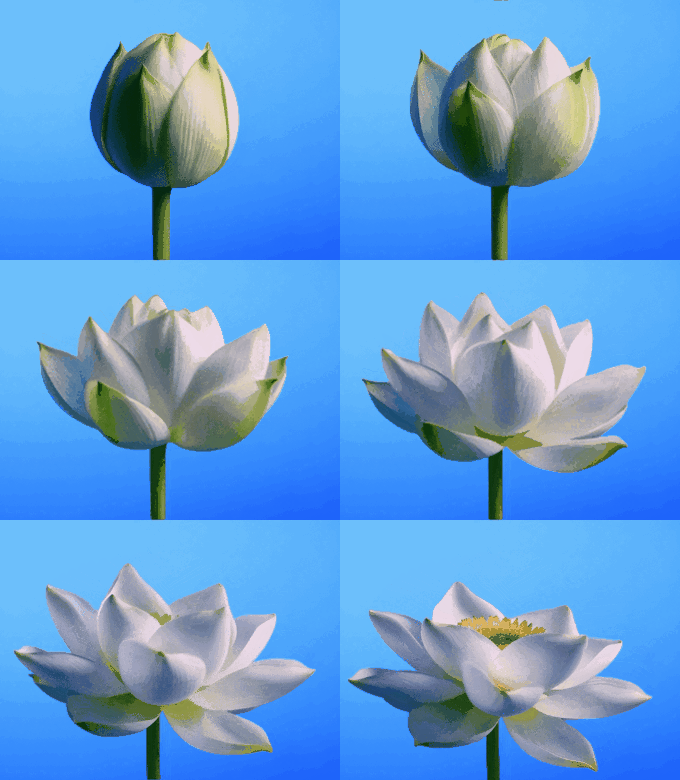
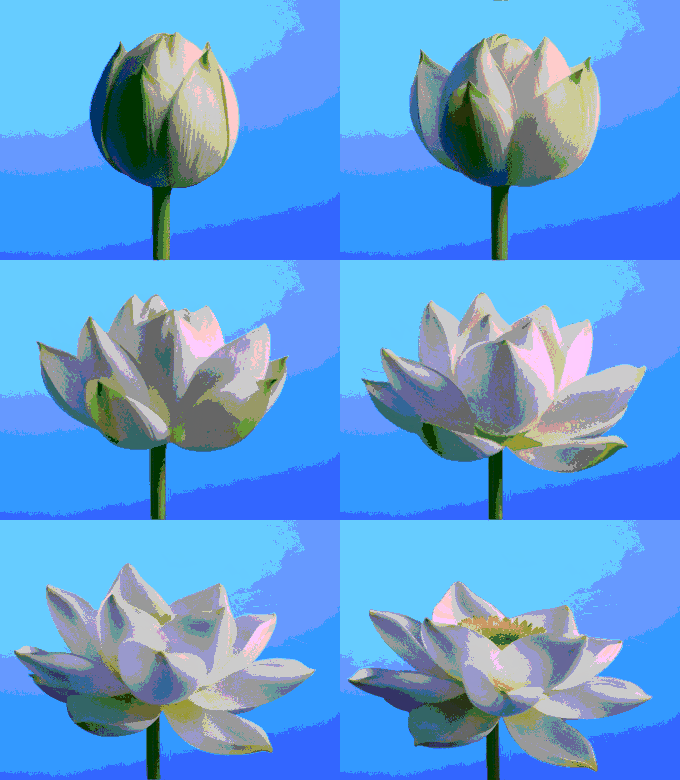
In this example, we convert an animated lotus to the 216-color web-safe palette, a fixed RGB color cube once used to keep graphics consistent across 8-bit computer displays and early browsers. We match pixels by direct RGB channel distance, giving the moving bud crisp green-and-cream facets and turning the blue background gradient into distinct retro color bands. (Source: Vecteezy.com.)
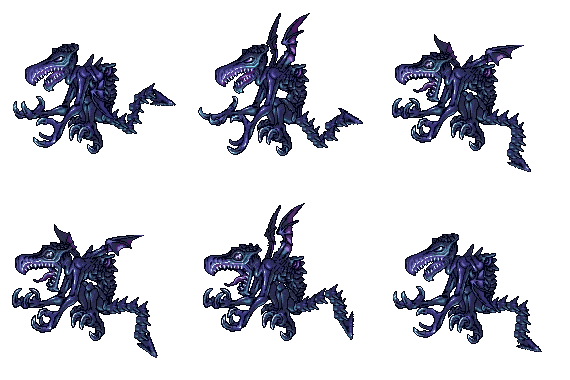
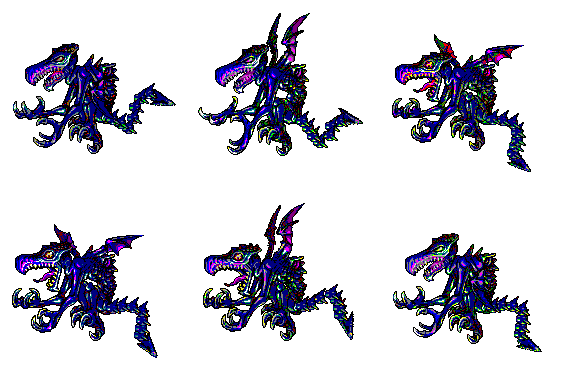
This example applies the 16 Basic HTML Colors, the original named color set shared by early web graphics, to an animated Neo-Ridley sprite. We enable the entire palette and use RGB-distance matching, giving the creature a blue, cyan, black, and pink base with flashing accents that complement the GIF's old-console pixel-art character. (Source: Nintendo.)
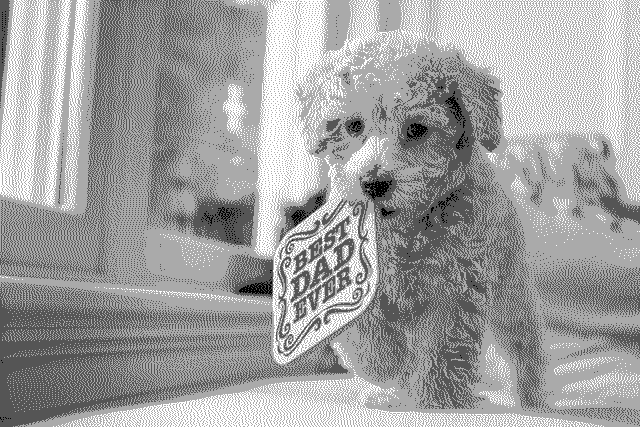
In this example, we reduce a dog GIF to four gray levels, the same 2-bit tonal range associated with early monochrome computer and handheld graphics. We use visual color distance to retain important lightness differences, then apply Two-row Sierra dithering so the dog's curls, eyes, and wooden sign lettering remain recognizable through fine pixel patterns. (Source: Pexels.)

Create animated GIFs in your browser.
Change the order of frames in a GIF animation.
Insert one or more frames in a GIF animation.
Decrease the size of a GIF.
Add an audio track to a GIF.
Cross-fade a GIF frame by frame.
Cross-fade two GIF animations.
Smoothly transform one GIF into another GIF.
Change the delay between all GIF frames to the same value.
Change the framerate of a GIF.
Increase the width and height of a GIF.
Decrease the width and height of a GIF.
Create a chess game animation from a PGN file.
Create a go game animation from a SGF file.
Create a draughts/checkers game animation from a PDN file.
Generate a GIF animation of winning a Solitaire game.
Create a GIF animation of Game of Life.
Base64-encode a GIF.
Base64-decode a GIF.
Base58-encode a GIF.
Base58-decode a GIF.
Convert a sequential GIF to progressive GIF.
Convert a progressive GIF to a sequential GIF.
Convert an animated PNG to an animated GIF.
Convert an animated GIF to an animated PNG.
Convert an animated PNG to an animated GIF.
Convert a GIF animation to an AV1 animation (AVIF).
Convert an AV1 animation (AVIF) to a GIF animation.
Convert a GIF animation to a HEIF animation.
Convert a HEIF animation to a GIF animation.
Export a GIF animation to a BPG animation.
Convert an animated BPG to an animated GIF.
Convert a GIF animation to an AVI video.
Convert an AVI video to a GIF animation.
Convert a GIF animation to a WMV video.
Convert a WMV video to a GIF animation.
Convert a GIF animation to an MP4 video.
Convert an MP4 video to a GIF animation.
Convert a GIF animation to an MKV video.
Convert an MKV video to a GIF animation.
Convert a GIF animation to a MOV video.
Convert a MOV video to a GIF animation.
Convert a GIF animation to GIF video (GIFV).
Convert a GIF video (GIFV) to a GIF animation.
Create a Data URI from a GIF animation.
Reconstruct a GIF from a Data URI.
Draw one or more GIF frames as ASCII art.
Create an animation from multiple ASCII art drawings.
Draw one or more GIF frames as ANSI art.
Create an animation from multiple ANSI art drawings.
Draw one or more GIF frames using Unicode glyphs.
Create a GIF from multiple Unicode drawings.
Draw one or more GIF frames using Braille characters.
Create a GIF animation from Braille characters.
Replace one color in a GIF with another.
Convert all colors in a GIF to just two black and white.
Find the color palette used in a GIF.
Find the color index used in a GIF.
Randomly change the color indexes of a GIF.
Create a GIF with more than 256 colors.
Convert a 256-color GIF to a 2-color GIF.
Convert a non-dithered GIF to a dithered GIF.
Merge dithered pixels and create a non-dithered GIF.
Change the delay interval between individual GIF frames.
Split a GIF into two or more GIFs.
Join two or more GIFs into a single GIF.
Shift GIF frames to the right or to the left.
Hide the selected area in a GIF by drawing a block over it.
Extract a part (a range of frames) from a GIF.
Create multiple GIF copies side-by-side.
Create multiple copies of individual GIF frames.
Skew a GIF animation by an angle.
Reverse a skew in a GIF animation.
Create a pixel whirl of any radius in a GIF.
Create a GIF that animates white noise.
Make a GIF animation go so slow that it appears almost static.
Remove a watermark from a GIF animation.
Extract all GIF frames in a folder and zip it up.
Add a hidden comment in GIF's metainfo section.
Clear all metainfo from a GIF.
Animate multiple GIFs at the same time side-by-side.
Add an animation effect to a message.
Layer two GIFs and put one GIF on top of another GIF.
Overlay an animated GIF on any image or photo.
Overlay any image or photo on an animated GIF.
Quickly change the playback length of a GIF.
Convert any image to a GIF that emulates slow Internet speed.
Create a GIF animation of a loading spinner.
Let Zalgo destroy a GIF animation.
Subscribe to our updates. We'll let you know when we release new tools and features, and when we organize online workshops.
Enter your email here
We're Browserling — a friendly and fun cross-browser testing company powered by alien technology. At Browserling we love to make peoples' lives easier, so we created this collection of online GIF tools. Our tools are enjoyed by millions of casual users every month as our easy-to-use user interface doesn't require advanced computer skills. Behind the scenes, our GIF tools are actually powered by our web developer tools that we created over the last couple of years. Check them out!