Our Network


Coming Soon


Coming Later

GIF to Silhouette Converter

Online GIF Maker

This online utility lets you convert all visible areas of a GIF into a solid silhouette shape. You can choose to play the silhouette using the original animation timing or stop playback and generate a static silhouette from a specific frame. You can also customize the silhouette and background colors and view detailed frame information. Created by GIF experts from team Browserling.

GIF to Silhouette Converter

Online GIF Maker

This online utility lets you convert all visible areas of a GIF into a solid silhouette shape. You can choose to play the silhouette using the original animation timing or stop playback and generate a static silhouette from a specific frame. You can also customize the silhouette and background colors and view detailed frame information. Created by GIF experts from team Browserling.

Tool Options

Silhouette Colors

Color for the areas that were opaque in the GIF. (Silhouette color.)
Color for the areas that were transparent in the GIF.

Playback Options

Generate an animated silhouette.
Generate a static silhouette.
Frame index to convert into a silhouette.

GIF Information

{frames}

What Is a GIF to Silhouette Converter?

This browser-based program lets you convert any GIF image into a silhouette GIF. It replaces all opaque regions in the input file with a single solid color, producing a filled silhouette against a transparent or chosen background. The tool works with both animated and static GIFs. When you upload a multi-frame GIF, you can choose whether the silhouette should remain animated or be generated as a static image. In animated mode, the silhouette plays using the original timing stored in the GIF. If you prefer a still result, you can stop playback and generate a static silhouette from a single frame. Simply enter the desired frame number (starting from 1), and the tool will convert only that frame into a standalone silhouette image. The appearance of the silhouette is fully customizable. The silhouette color can be changed from the default black to any color you prefer, and the background (normally transparent) can be replaced with another color if desired. Keep in mind that GIFs do not support semi‑transparent pixels. Every pixel is either fully opaque or fully transparent. As a result, the generated silhouette consists of crisp, solid pixels without edge smoothing. While processing, the tool also displays useful information about the input GIF, including the total number of frames, the current frame index, frame delay, and frame dimensions. Gifabulous!

What Is a GIF to Silhouette Converter?

This browser-based program lets you convert any GIF image into a silhouette GIF. It replaces all opaque regions in the input file with a single solid color, producing a filled silhouette against a transparent or chosen background. The tool works with both animated and static GIFs. When you upload a multi-frame GIF, you can choose whether the silhouette should remain animated or be generated as a static image. In animated mode, the silhouette plays using the original timing stored in the GIF. If you prefer a still result, you can stop playback and generate a static silhouette from a single frame. Simply enter the desired frame number (starting from 1), and the tool will convert only that frame into a standalone silhouette image. The appearance of the silhouette is fully customizable. The silhouette color can be changed from the default black to any color you prefer, and the background (normally transparent) can be replaced with another color if desired. Keep in mind that GIFs do not support semi‑transparent pixels. Every pixel is either fully opaque or fully transparent. As a result, the generated silhouette consists of crisp, solid pixels without edge smoothing. While processing, the tool also displays useful information about the input GIF, including the total number of frames, the current frame index, frame delay, and frame dimensions. Gifabulous!


GIF to Silhouette Converter Examples

Click to try!
click me

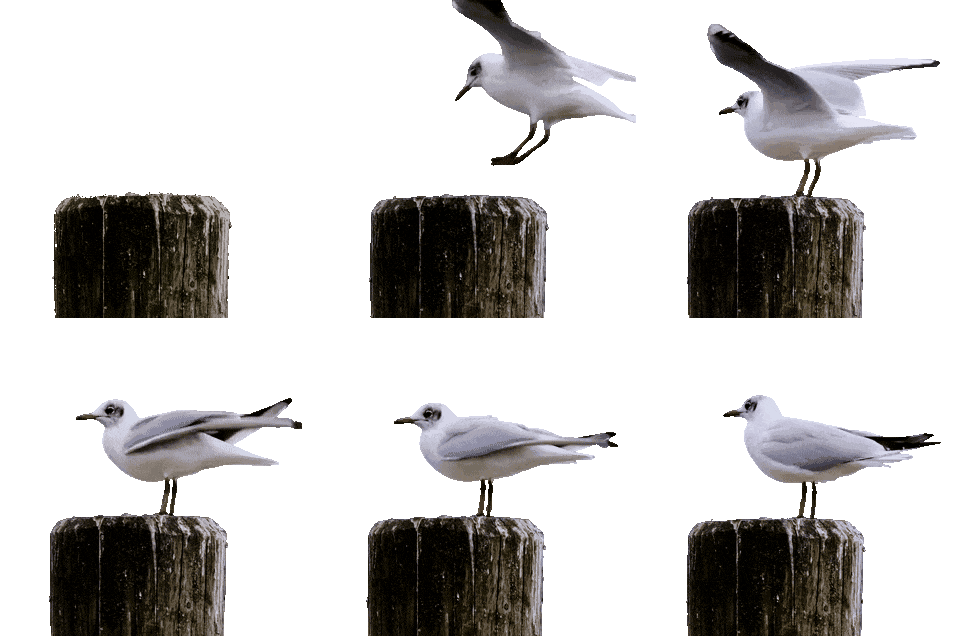
Animated Seagull Silhouette

In this example, we convert an animated GIF of a seagull landing on a wooden post into an animated silhouette. The input animation contains 32 frames, and we transform all visible elements in each frame into a solid black silhouette set against a transparent background. (Source: Pexels.)
Required options
These options will be used automatically if you select this example.
Color for the areas that were opaque in the GIF. (Silhouette color.)
Color for the areas that were transparent in the GIF.
Generate an animated silhouette.
click me

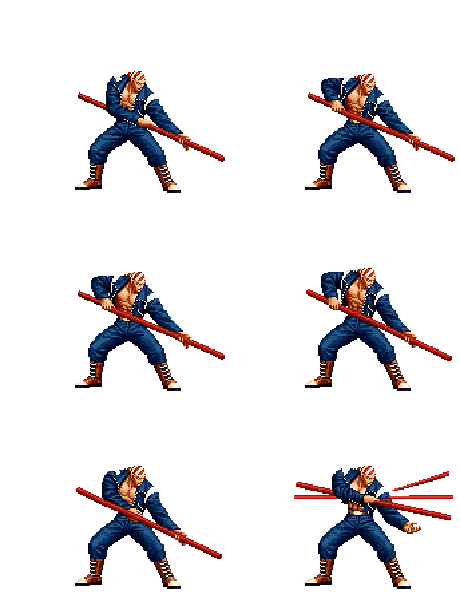
Billy Kane's Sprite Silhouette

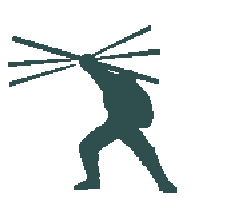
In this example, we extract a single frame to create a static silhouette. We load an animated sprite GIF of the character Billy Kane (from the Fatal Fury / King of Fighters series). We stop the silhouette animation and set the frame number to 47 to capture a specific pose. We apply a darkSlateGray fill color and keep the background transparent, reducing the detailed character to a clean silhouette suitable for a guess-the-character game. (Source: SNK.)
Required options
These options will be used automatically if you select this example.
Color for the areas that were opaque in the GIF. (Silhouette color.)
Color for the areas that were transparent in the GIF.
Generate a static silhouette.
Frame index to convert into a silhouette.
click me

Silhouette of a Static Orchid GIF

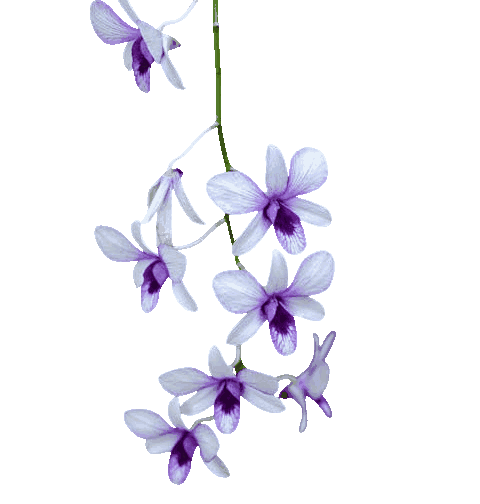
In this example, we take a static GIF image of an orchid and convert it into a silhouette. Since the source GIF contains only one frame, the output is a static silhouette. We apply an orchid-colored fill to the silhouette and use a white background, resulting in a clean, opaque silhouette image. (Source: Pexels.)

Required options
These options will be used automatically if you select this example.
Color for the areas that were opaque in the GIF. (Silhouette color.)
Color for the areas that were transparent in the GIF.
Generate a static silhouette.
Frame index to convert into a silhouette.

All GIF Tools

Didn't find the tool you were looking for? Let us know what tool we are missing and we'll build it!
Quickly view, play and download individual GIF frames.
Quickly create a sprite sheet from all GIF frames.
Quickly create a GIF animation from a sprite strip.
Quickly change the speed a GIF animation is played at.
Quickly flip a GIF animation horizontally or vertically.
Quickly reverse all frames in an animated GIF.
Quickly minify a GIF and make it smaller in size.
Quickly change the background color of an animated GIF.
Quickly recolor any selected tone in a GIF animation.
Quickly change how many times a GIF gets repeated.
Quickly stop looping the GIF and play it just once.
Quickly rotate a GIF animation by the given angle.
Quickly change the width and height of a static or animated GIF.
Quickly crop a region from a GIF animation.
Quickly redact sensitive information from a GIF.
Quickly pixelate any region in a GIF animation.
Quickly blur any region in a GIF animation.
Quickly sharpen any region in a GIF animation.
Quickly increase or decrease the brightness of a GIF.
Quickly increase or decrease the contrast of a GIF.
Quickly apply a negative color filter to the selected GIF region.
Quickly make any color in a GIF transparent.
Quickly fill transparent GIF regions with a solid color.
Quickly generate an alpha mask to check GIF transparency.
Quickly delete one or more frames from an animated GIF.
Quickly extract multiple frames from a GIF.
Quickly preview a GIF animation at any framerate (fast or slow).
Quickly shuffle frames of a GIF animation.
Quickly increase the size of a GIF.
Quickly upscale the GIF to a higher resolution.
Quickly downscale the GIF to a smaller resolution.
Quickly change the total playback time of a GIF.
Quickly freeze a GIF at a specific frame.
Quickly surround a GIF animation with a border.
Quickly remove the border that surrounds a GIF animation.
Quickly add padding to all sides of a GIF animation.
Quickly remove padding from all sides of a GIF animation.
Quickly expand the area around the edges of a GIF animation.
Quickly reduce the area around the edges of a GIF animation.
Quickly add an outline to a GIF animation.
Quickly remove an outline from a GIF animation.
Quickly apply a visible stroke to each frame of a GIF.
Quickly delete a stroke from each frame of a GIF.
Quickly create an animated polaroid from any GIF.
Quickly smooth out the rough edges of a transparent GIF.
Quickly apply edge feathering to a transparent GIF.
Quickly clean jagged edges from a transparent GIF.
Quickly increase or decrease GIF canvas dimensions.
Quickly fit a GIF into a custom-sized rectangle or square.
Quickly add a background to an animated GIF.
Quickly remove the background from an animated GIF.
Quickly remove a green- or blue-screen from an animated GIF.
Quickly add any text (captions, subtitles) on an animated GIF.
Quickly add a running time clock to a GIF animation.
Quickly add a counter that shows frame numbers.
Quickly round the corners of a GIF animation.
Quickly remove colors from a GIF and leave only gray shades.
Quickly convert a GIF into a solid silhouette image or animation.
Quickly convert a GIF image into a stencil template.
Quickly cut a frame range or a time interval from a GIF.
Quickly decrease the framerate of a GIF animation.
Quickly increase the framerate of a GIF animation.
Quickly create a circular or oval GIF animation.
Quickly create a perfectly square GIF animation.
Quickly create a GIF animation shaped like a multi-spiked star.
Quickly create a GIF animation with a wave-patterned edge.
Quickly generate a solid color or color gradient GIF.
Quickly create a GIF with custom size, speed, length, and loop count.
Create a static GIF that contains just one frame.
Create a static placeholder GIF.
Create an empty GIF with no visible content.
Quickly generate an animation with random color pixels.
Quickly generate a tiny 1x1 spacer GIF.
Quickly make a GIF loop back and forth.
Quickly draw random pixels on an animated GIF.
Quickly split a GIF into frames and arrange them in a custom grid.
Quickly convert a GIF animation into a full set of still images.
Quickly optimize a GIF animation to use less memory.
Quickly print low-level details about a GIF and its frames.
Quickly find the width, height, and aspect ratio of a GIF image.
Quickly find the file size of a GIF image in bytes or kilobytes.
Quickly calculate how many frames are in the given GIF.
Quickly calculate the frame rate (FPS) of a GIF.
Quickly calculate how many times a GIF loops (once, infinite, or a custom number).
Quickly calculate the GIF's frame count and total duration.
Quickly inspect the colors and palettes inside any GIF.
Quickly find transparent pixels in a GIF animation.
Quickly check if a GIF file has any transparent pixels.
Quickly check if a GIF file is animated or static.
Quickly convert an animated GIF into a single-frame PNG image.
Quickly convert a PNG image into a static GIF image.
Quickly convert a multi-frame GIF into a still JPG image.
Quickly convert a JPG image into a GIF with optional transparency.
Quickly convert a GIF animation into a static WebP picture.
Quickly convert a WebP image into a single-frame GIF image.
Quickly convert an animated or static GIF into a raw BMP image.
Quickly convert an uncompressed BMP file into a GIF image.

Coming Soon

These GIF tools are on the way!
GIF Creator

Create animated GIFs in your browser.

Rearrange GIF Frames

Change the order of frames in a GIF animation.

Add Frames to a GIF

Insert one or more frames in a GIF animation.

Unzoom a GIF

Decrease the size of a GIF.

Add Sound to GIF

Add an audio track to a GIF.

See How a GIF Looks on Various Backgrounds

Draw a GIF on different backgrounds to see how it looks.

Fade-out a GIF

Gradually fade-out the frames of a GIF.

Fade-in a GIF

Gradually fade-in the frames of a GIF.

Cross-fade GIF Frames

Cross-fade a GIF frame by frame.

Cross-fade Two GIFs

Cross-fade two GIF animations.

Morph One GIF to Another

Smoothly transform one GIF into another GIF.

Normalize GIF Speed

Change the delay between all GIF frames to the same value.

Change GIF Framerate

Change the framerate of a GIF.

Change GIF Quality

Change the quality of a GIF.

Make a GIF Bigger

Increase the width and height of a GIF.

Make a GIF Smaller

Decrease the width and height of a GIF.

Convert PGN to GIF

Create a chess game animation from a PGN file.

Convert SGF to GIF

Create a go game animation from a SGF file.

Convert PDN to GIF

Create a draughts/checkers game animation from a PDN file.

Create a Solitaire Effect GIF

Generate a GIF animation of winning a Solitaire game.

Animate Game of Life

Create a GIF animation of Game of Life.

Convert GIF to Base64

Base64-encode a GIF.

Convert Base64 to GIF

Base64-decode a GIF.

Convert GIF to Base58

Base58-encode a GIF.

Convert Base58 to GIF

Base58-decode a GIF.

Convert Non-interlaced GIF to Interlaced GIF

Convert a sequential GIF to progressive GIF.

Convert Interlaced GIF to Non-interlaced GIF

Convert a progressive GIF to a sequential GIF.

Convert APNG to GIF

Convert an animated PNG to an animated GIF.

Convert GIF to APNG

Convert an animated GIF to an animated PNG.

Convert APNG to GIF

Convert an animated PNG to an animated GIF.

Convert GIF to AVIF

Convert a GIF animation to an AV1 animation (AVIF).

Convert AVIF to GIF

Convert an AV1 animation (AVIF) to a GIF animation.

Convert GIF to HEIF

Convert a GIF animation to a HEIF animation.

Convert HEIF to GIF

Convert a HEIF animation to a GIF animation.

Convert GIF to BPG

Export a GIF animation to a BPG animation.

Convert BPG to GIF

Convert an animated BPG to an animated GIF.

Convert GIF to AVI

Convert a GIF animation to an AVI video.

Convert AVI to GIF

Convert an AVI video to a GIF animation.

Convert GIF to WMV

Convert a GIF animation to a WMV video.

Convert WMV to GIF

Convert a WMV video to a GIF animation.

Convert GIF to MP4

Convert a GIF animation to an MP4 video.

Convert MP4 to GIF

Convert an MP4 video to a GIF animation.

Convert GIF to MKV

Convert a GIF animation to an MKV video.

Convert MKV to GIF

Convert an MKV video to a GIF animation.

Convert GIF to MOV

Convert a GIF animation to a MOV video.

Convert MOV to GIF

Convert a MOV video to a GIF animation.

Convert GIF to GIFV

Convert a GIF animation to GIF video (GIFV).

Convert GIFV to GIF

Convert a GIF video (GIFV) to a GIF animation.

Convert GIF to Data URL

Create a Data URI from a GIF animation.

Convert Data URL to GIF

Reconstruct a GIF from a Data URI.

Convert GIF to ASCII Art

Draw one or more GIF frames as ASCII art.

Convert ASCII Art to GIF

Create an animation from multiple ASCII art drawings.

Convert GIF to ANSI Art

Draw one or more GIF frames as ANSI art.

Convert ANSI Art to GIF

Create an animation from multiple ANSI art drawings.

Convert GIF to Unicode Art

Draw one or more GIF frames using Unicode glyphs.

Convert Unicode Art to GIF

Create a GIF from multiple Unicode drawings.

Convert GIF to Braille Art

Draw one or more GIF frames using Braille characters.

Convert Braille Art to GIF

Create a GIF animation from Braille characters.

Change Colors in a GIF

Replace one color in a GIF with another.

Make GIF Black and White

Convert all colors in a GIF to just two black and white.

Extract GIF Colors

Find the color palette used in a GIF.

Extract GIF Color Index

Find the color index used in a GIF.

Randomize GIF Color Index

Randomly change the color indexes of a GIF.

Reduce GIF Colors

Remove colors from a GIF.

Re-quantize GIF Colors

Run various color quantization algorithms on a GIF.

Create a True Color GIF

Create a GIF with more than 256 colors.

Create a Binary Color GIF

Convert a 256-color GIF to a 2-color GIF.

Add Dithering to a GIF

Convert a non-dithered GIF to a dithered GIF.

Remove Dithering from a GIF

Merge dithered pixels and create a non-dithered GIF.

Change Delay of Frames

Change the delay interval between individual GIF frames.

Split a GIF into Multiple GIFs

Split a GIF into two or more GIFs.

Join GIFs

Join two or more GIFs into a single GIF.

Shift a GIF

Shift GIF frames to the right or to the left.

Hide a Part of a GIF

Hide the selected area in a GIF by drawing a block over it.

Slice a GIF

Extract a part (a range of frames) from a GIF.

Duplicate a GIF

Create multiple GIF copies side-by-side.

Duplicate GIF Frames

Create multiple copies of individual GIF frames.

Skew a GIF

Skew a GIF animation by an angle.

Unskew a GIF

Reverse a skew in a GIF animation.

Swirl a GIF

Create a pixel whirl of any radius in a GIF.

Generate White Noise GIF

Create a GIF that animates white noise.

Create a Quasistatic GIF

Make a GIF animation go so slow that it appears almost static.

Create a Scrolling Text GIF

Generate a GIF that contains a scrolling marquee.

Watermark a GIF

Add a semi-transparent watermark to a GIF animation.

Remove Watermark from GIF

Remove a watermark from a GIF animation.

Convert a GIF to a ZIP Archive

Extract all GIF frames in a folder and zip it up.

Add a Comment to a GIF

Add a hidden comment in GIF's metainfo section.

Delete GIF Metainfo

Clear all metainfo from a GIF.

Create a GIF of GIFs

Animate multiple GIFs at the same time side-by-side.

Create an Animated Message

Add an animation effect to a message.

Put One GIF on Another GIF

Layer two GIFs and put one GIF on top of another GIF.

Put a GIF on an Image

Overlay an animated GIF on any image or photo.

Put an Image on a GIF

Overlay any image or photo on an animated GIF.

Change GIF Length

Quickly change the playback length of a GIF.

Emulate a Slow Image

Convert any image to a GIF that emulates slow Internet speed.

Create a Loading GIF

Create a GIF animation of a loading spinner.

Glitch a GIF

Let Zalgo destroy a GIF animation.


Subscribe!

Subscribe to our updates. We'll let you know when we release new tools, features, and organize online workshops.

Enter your email here


Feedback. We'd love to hear from you! 👋

Created with love by

We're Browserling — a friendly and fun cross-browser testing company powered by alien technology. At Browserling we love to make peoples' lives easier, so we created this collection of online GIF tools. Our tools are enjoyed by millions of casual users every month as our easy-to-use user interface doesn't require advanced computer skills. Behind the scenes, our GIF tools are actually powered by our web developer tools that we created over the last couple of years. Check them out!

49K
@browserling

Didn't find the tool you were looking for? Let us know what tool we are missing and we'll build it!